 stappn
A record you can return to
Ozempic injection records.A clearer daily picture.
Using the injection form of Ozempic? Keep the dates you log, your recorded progress and the small habits of your day in one place. Stappn helps you return to the details without piecing them together from memory.
For iOS & Android · AI-assisted coaching
When you want to look back
One date is a starting point.
Bring the days around it into view.
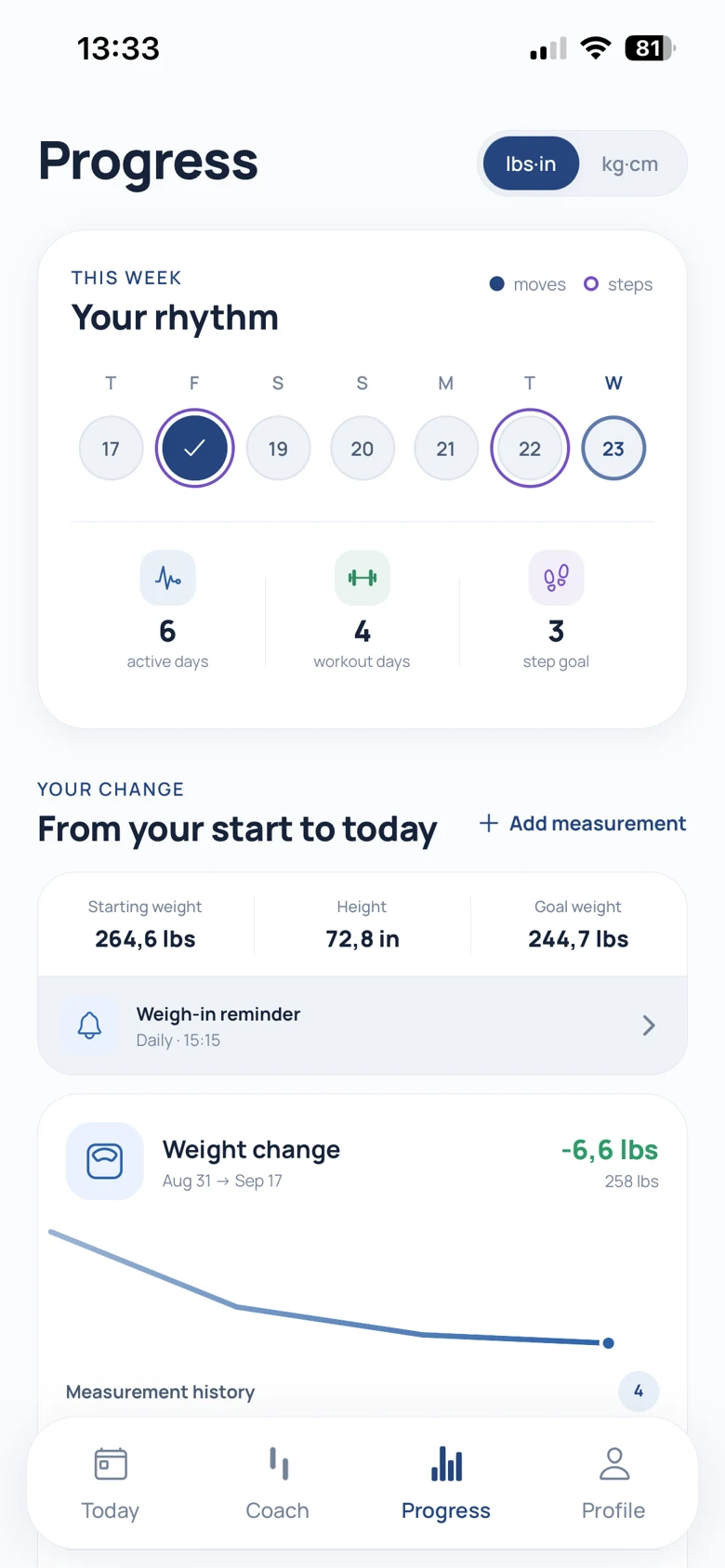
Suppose you want to revisit a week from earlier in the month. Start with the dated entries, review the measurements you recorded and look at the activity around those days. Then use today’s check-in to tell the coach what matters for your next plan.
An example of using Stappn
- Find the entry
Start with the date.
Open your shot records to see the medication name, recorded date and time, and dose you entered. Use the calendar to return to the day.
- Review your records
Put measurements in context.
Look at your recorded weight, body measurements and completed sessions. Stappn brings the entries together; the record is yours to review.
- Continue today
Add the next useful detail.
Keep steps and water in view, track reported side effects and check in about your schedule. The coach uses your inputs when preparing a movement plan.
Three ways to look at your routine
Past records.
Present-day habits.
Switch between the injection calendar, Progress and Today. A date helps you find the record, the progress view lets you review measurements, and the daily overview brings you back to your session and habits.
- Shot records with the details you entered.
- Recorded measurements and completed activity over time.
- Daily steps, water and a suggested movement session.
Actual English app screens. Choose a view to explore.
Questions & answers
Questions about
your Ozempic records.
Which Ozempic form does this page cover?
These examples cover injection-day records for injectable Ozempic. They do not demonstrate support for tracking Ozempic tablets. Ask Stappn support before relying on a tablet-tracking workflow.
What information can I see in a shot record?
Shot records include the medication name, date and time entered, and the dose you recorded. The calendar also gives you a way to revisit days alongside sessions and steps.
Can I review measurements separately from today’s plan?
Yes. Progress shows your recorded measurements and activity history. Today brings you back to the daily view, including your planned session, steps and water.
How do side-effect records fit into the app?
Stappn tracks the side effects you report and uses that context with your check-ins and other inputs when preparing the movement programme. You can review the suggestion and ask the coach to adjust it.
Do my records automatically transfer from another app?
Do not assume an automatic transfer. Contact Stappn support about your records before relying on an import or migration.
Meet Stappn
Give your records
a place to come together.
Find the dates, review the habits and plan your next step in Stappn.
Product scope & sources
Prepared by Stappn. Official product pages and real app examples were reviewed on October 12, 2026. Ozempic is a Novo Nordisk trademark. Stappn is independent; no affiliation or endorsement is implied. Side-effect tracking and its use in movement planning were confirmed by Stappn’s founder on the same date.